

Sandbox Studio v1.1.0 is available!


Introducing Sandbox Studio 1.1.0
Today we’re releasing Sandbox Studio 1.1.0, our most significant update so far.
This release introduces a new way to assign AWS accounts to users, making it easier to prepare environments in advance instead of relying on request-and-approve workflows.
Alongside that, we’ve added several other improvements across the platform, including:
- A new “events” feature for managing groups of users in one place
- Prebuilt account templates for common use cases like AI experimentation
- More flexibility in how environments are configured and customised
- Improved visibility into account setup and cleanup
- Enhancements to reporting, branding, and language support
Many of these changes come directly from customer feedback. We’ve worked closely with teams using Sandbox Studio in real-world scenarios, and this release reflects how people are actually using the platform day to day.
We’re always keen to hear more. If there’s something you’d like to see, let us know.
A simpler way to assign AWS accounts
In previous versions, users would request an account and wait for approval.
Now, managers can assign accounts directly to users.
This makes it much easier to prepare environments ahead of time and avoid delays — especially when working with groups.
Introducing Events
To support this, we’ve introduced a new feature called Events.
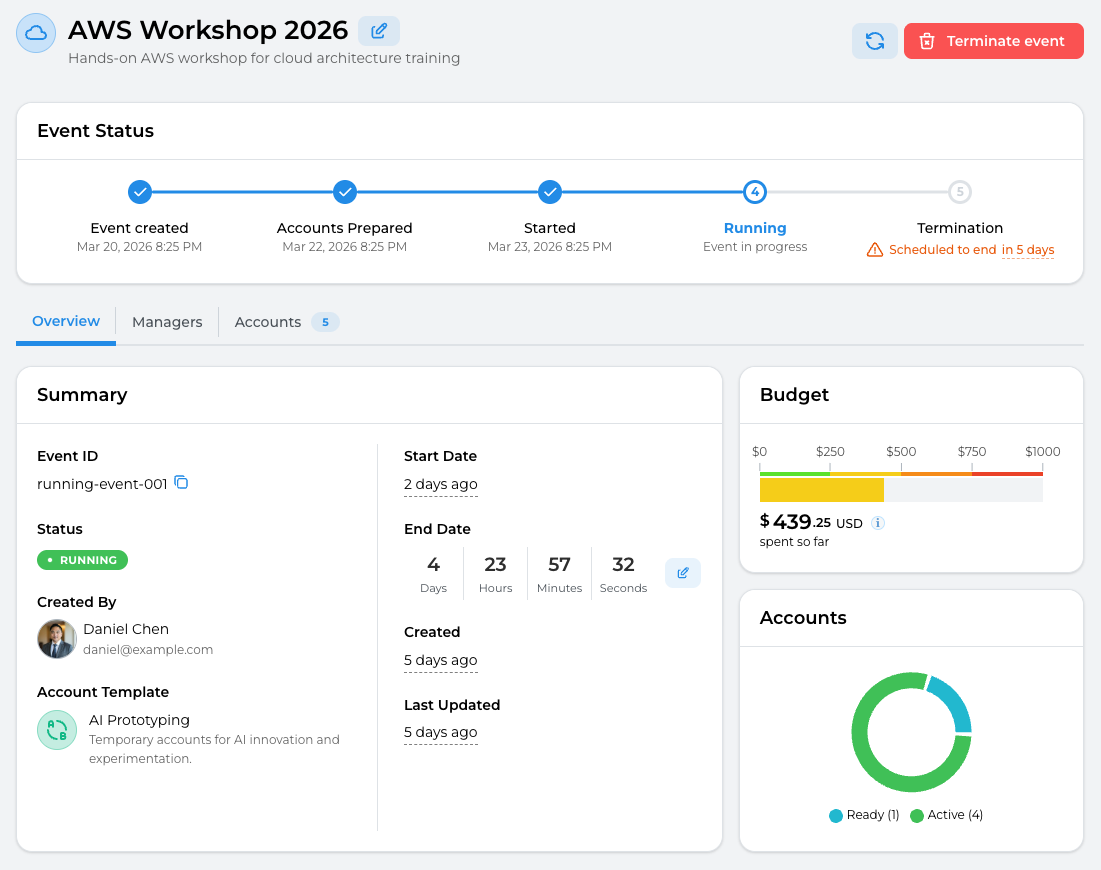
Events allow you to assign and manage AWS accounts for a group of users in one place.
This is useful when working with a defined set of participants, for example:
- Running a workshop or hackathon
- Delivering a university subject or training course
- Onboarding a group of new team members
With Events, you can:
- Prepare accounts ahead of time
- Assign them to participants in bulk
- Manage everything from a single view
Assign accounts to individuals
You can also assign an account directly to a specific user.
This is useful for:
- Preparing a dedicated environment for someone
- Handling one-off requests quickly
- Reassigning accounts when needed
Add participants and assign accounts in bulk
For larger groups, you can add participants and assign accounts in bulk, including via CSV upload.
This allows you to:
- Upload a list of users
- Assign accounts in one step
- Prepare environments for large groups in minutes
This is particularly helpful for classes, workshops, and large internal sessions.
Prebuilt templates to get started faster
We’ve introduced a set of prebuilt account templates to help you get up and running quickly.
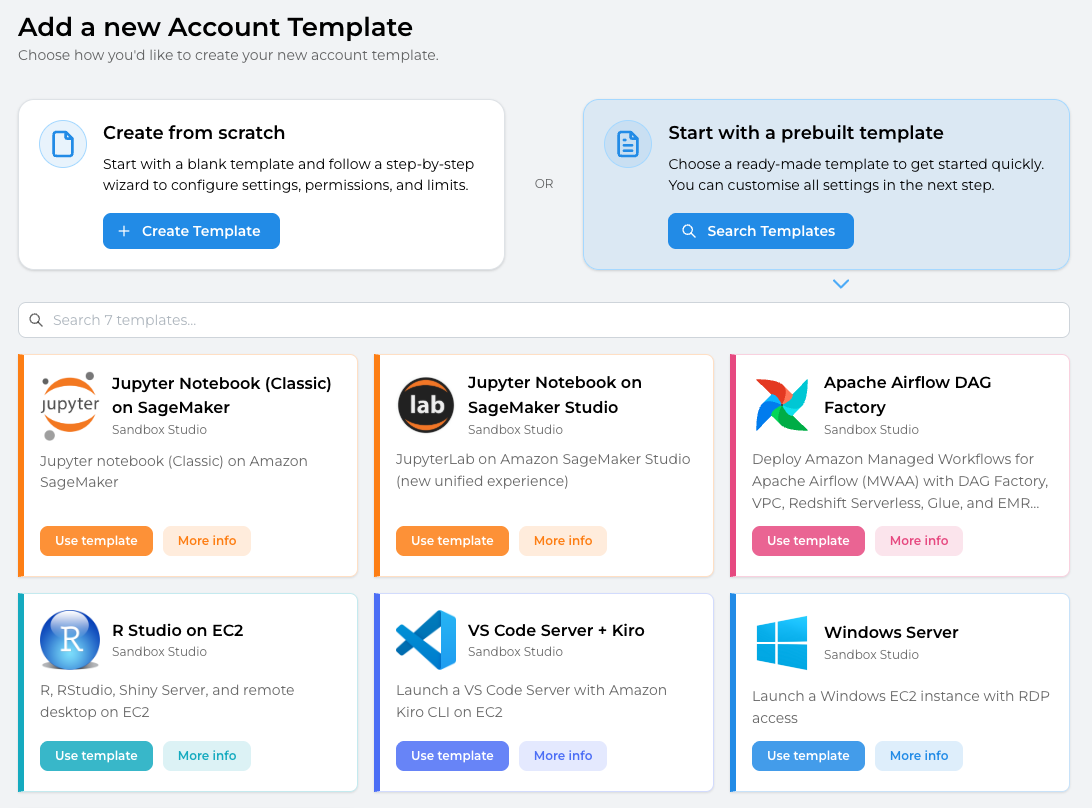
These include templates for common scenarios such as:
- Experimenting with AI and machine learning services
- Using services like Amazon SageMaker and Amazon Bedrock
They provide a starting point that you can use as-is or customise further.
More flexibility and customisation
We’ve made it easier to shape Sandbox Studio around your organisation and your workflows.
Custom branding
You can now customise the look and feel of the platform:
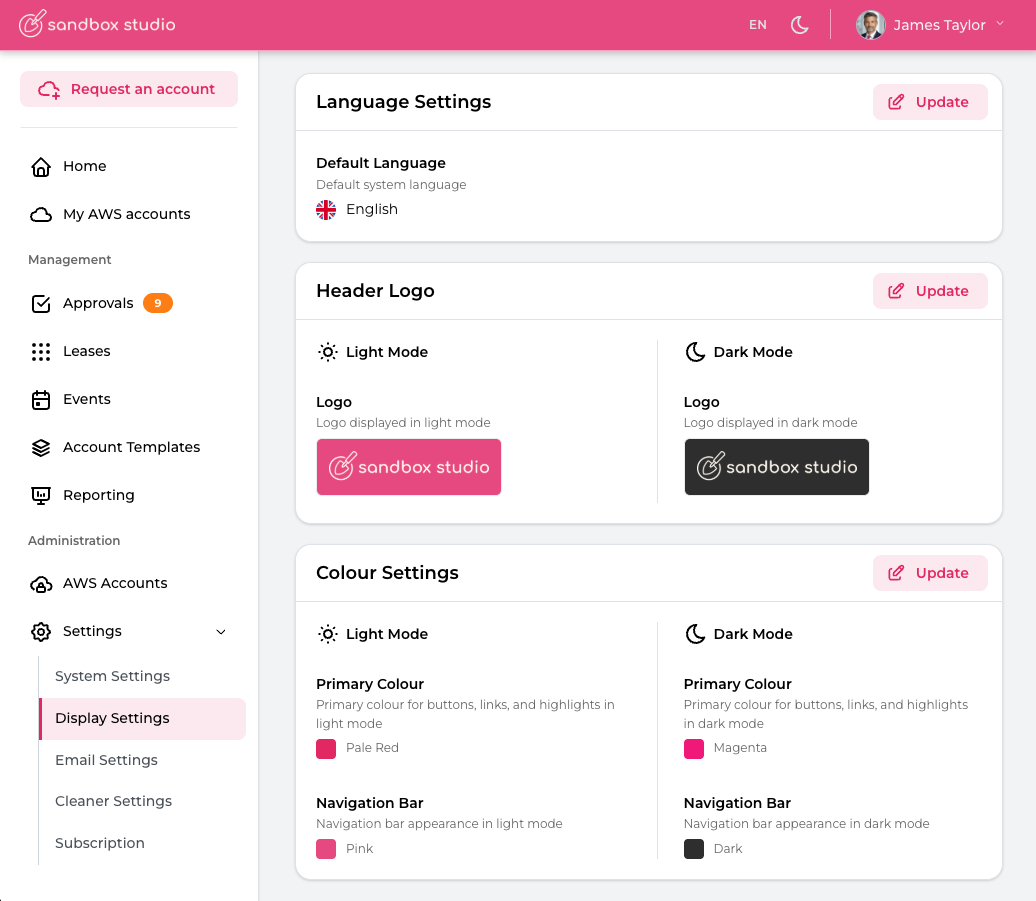
- Upload your organisation’s logo
- Set your own colours
- Apply consistent branding across the interface
Multi-language support
Sandbox Studio now supports multiple languages, starting with French as our first fully supported additional language.
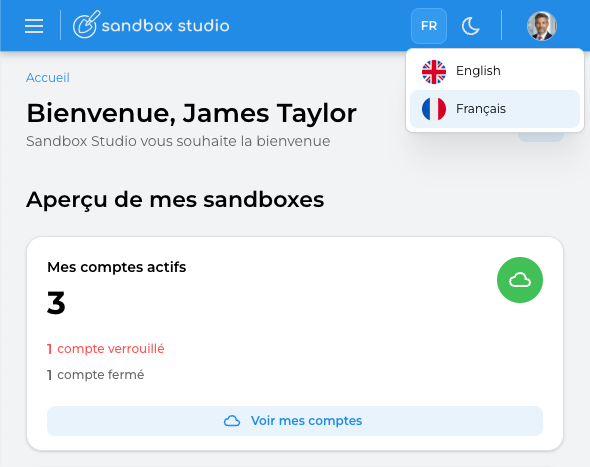
This isn’t a basic or automated translation. The platform has been carefully and thoughtfully translated to ensure clarity, accuracy, and a natural user experience.
Translation support is applied across the entire platform, including:
- The user interface
- Email notifications
- All system messages and key workflows
You can also control how language is applied:
- Set a default language at the system level for your organisation
- Allow individual users to select their own preferred language
This makes Sandbox Studio suitable for international teams, training environments, and academic use, where users may need to work in different languages while still operating within a shared platform.
If there’s a language you’d like to see supported, we’d love to hear from you. Get in touch and let us know.
Use your own tools to define environments
You can continue to configure environments using whatever tooling you prefer, including:
- Terraform
- AWS CloudFormation
- AWS CLI scripts
- Custom automation
This gives you full control over how each sandbox environment is prepared before it’s assigned.
Show useful environment details to users
You can now expose key information directly in the interface, such as:
- URLs to deployed applications
- Login details
- Outputs from your setup process
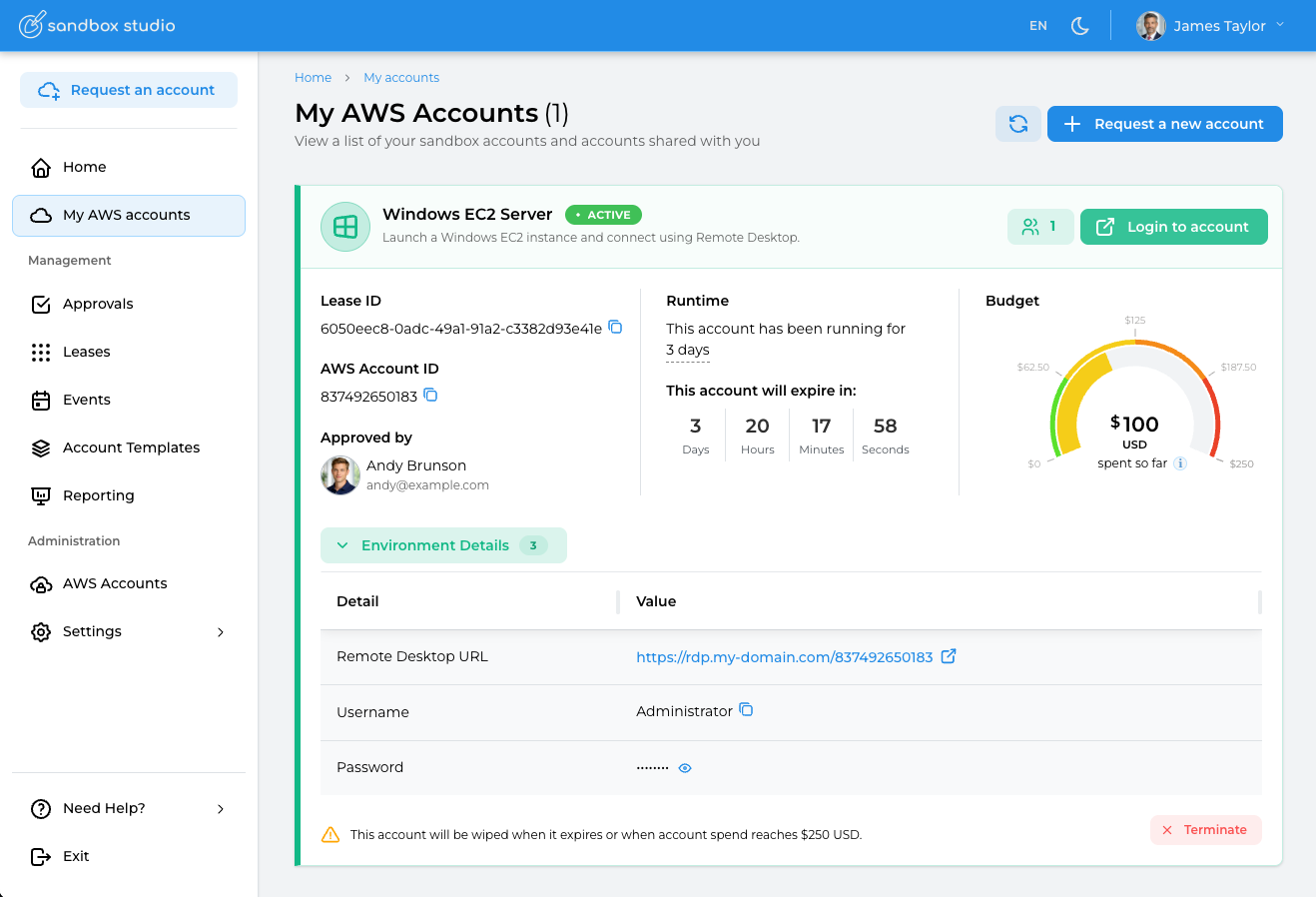
This helps users get started quickly without needing deep AWS knowledge or navigating multiple services.
Better visibility into setup and cleanup
We’ve improved how you can see what’s happening behind the scenes.
If something goes wrong during account setup or cleanup, you can now view detailed logs directly in the UI.
This makes it easier to:
- Understand what happened
- Troubleshoot issues
- Fix problems quickly
More control over account cleanup
We’ve also added more flexibility to the cleanup process.
You can now choose which version of AWS Nuke is used directly in the user interface, including:
- Specific versions
- Or your own fork
This gives you more control over how accounts are cleaned and what resources are retained or removed. It is now easier than ever to keep up to date with the AWS Nuke releases.
Improved visibility and reporting
We’ve made it easier to understand what’s happening across your sandbox environments.
With improved dashboards and visual summaries, you can:
- Track usage across accounts
- Monitor costs more clearly
- Identify issues earlier
Built with your feedback
This release is based heavily on feedback from teams using Sandbox Studio every day.
We’ve focused on making it:
- Faster to set up environments
- Easier to manage groups of users
- Simpler to understand what’s happening behind the scenes
If you have ideas, feature requests, or feedback, we’d genuinely love to hear from you.
What’s next
Sandbox Studio 1.1.0 makes it easier to prepare, assign, and manage AWS environments at scale — whether you’re working with a single user or a large group.
If you’re running:
- workshops
- training sessions
- academic courses
- internal engineering environments
this release should make those workflows much smoother.
If you’d like to explore how Sandbox Studio could support your team, get in touch, we’d love to hear about your use case.
Happy provisioning 🚀